


PS3 NOR/NAND Flash Writer


PS3 Online Downgrade with Flash Writer by PS3Xploit Team
The downgrade alternative if the PS3 Toolset is offline

NOR/NAND Flash Writer- HFW 4.93
The Flash Writer can only be used with Hybrid Firmware (HFW) 4.93.
Features
- Enables downgrade with HFW 4.93 installed
- Check: Minimum Firmware Version
- Check: Currently Installed Firmware
- Check: Custom Firmware Compatibility of the Console
- Check: Hybrid Firmware Installation
- Check: Patch File Hash Value
- Multiple Patch Chain Checks to Prevent Memory Damage
- Backs up the internal flash memory to a USB drive before patching
- Reliable Memory Detection
- Significantly faster flash dumping for NAND consoles
Preparation
- Make sure you have HFW 4.93 installed on your PS3 (see: here)
- Have a FAT32 USB flash drive ready
- Disable automatic updates on your PS3
- Set the correct date and time on your PS3
- Connect your PS3 to the internet (recommended: LAN cable)
Sequence
- Start the internet browser on your PS3
- Press Triangle and under Tools, make sure that cookies and JavaScript are enabled
- Open File 🠖 Enter URL and enter the Flash Writer URL without www (see below)
- Press Start twice on the controller
- You should now see the Flash Writer home screen
- Select your language here
- In the following window, you can find out whether you have a NOR or NAND console
- Select the appropriate button and follow the instructions
Check flash dump
- Important: Before patching the dump, it must be thoroughly checked!
- The tool automatically saves the dump to the USB drive (file: PS3FlashDump493OFW.bin)
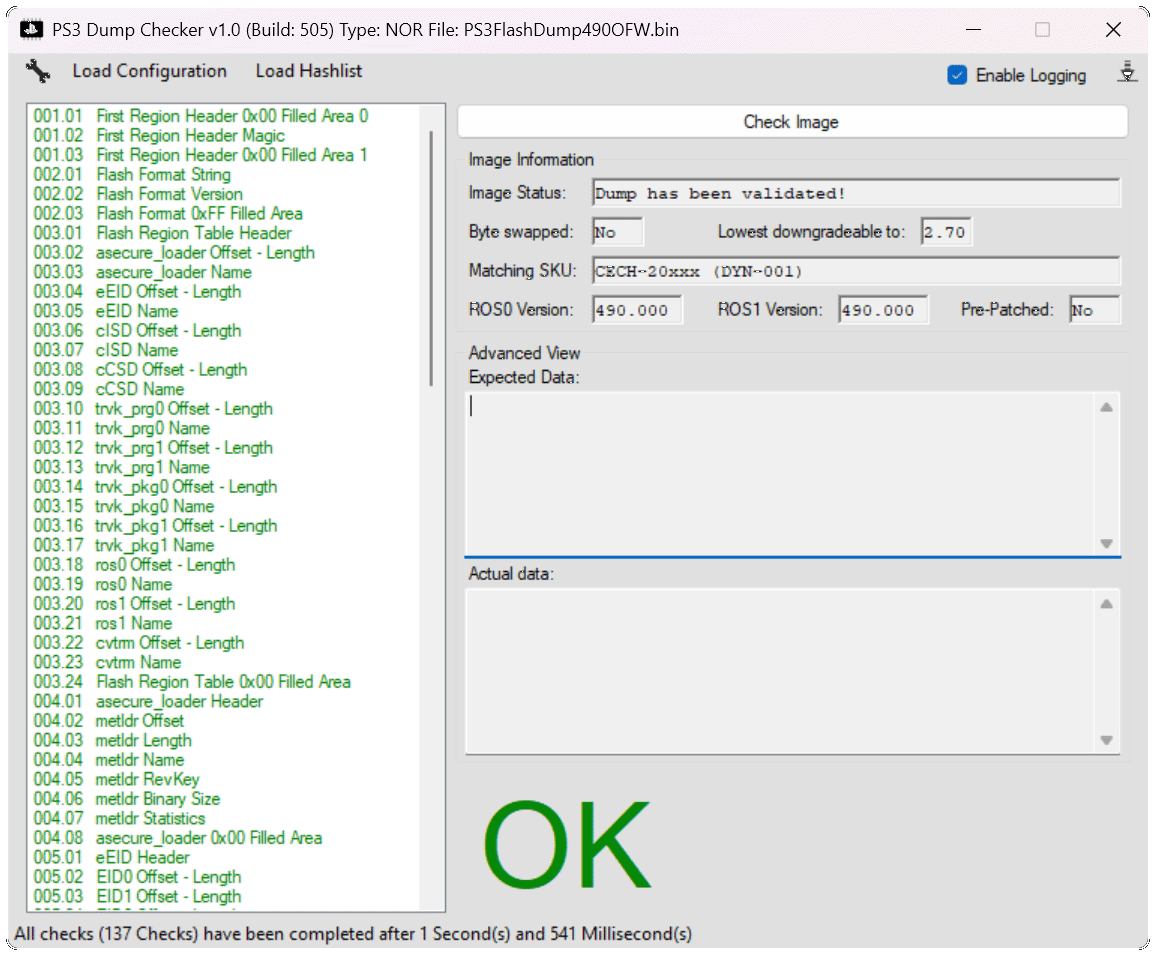
- Check the dump with the PS3DumpChecker by Swizzy (free download on GitHub)
- PS3 Dump Checker: Open the dump using Check Image and select PS3FlashDump493OFW.bin on the USB drive
- Caution: Do not patch the dump using the checker (answer NO to the question at the end of the successful check)!
- Only proceed with patching the dump on the PS3 if the status shows OK and all entries in the log are green
- If everything is OK, you can install the latest Evilnat CFW after patching (Download: here)
Click to enlarge